Point. Press =. Learn.
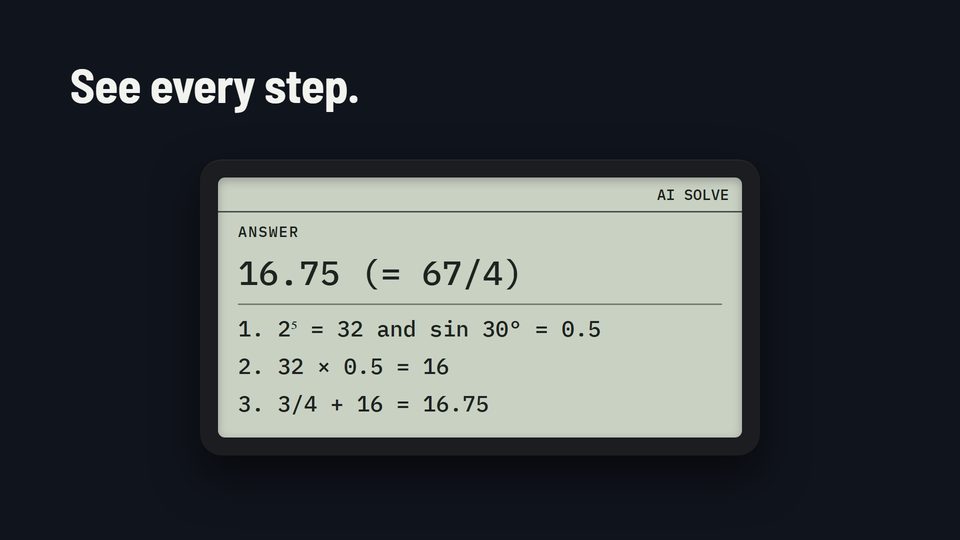
AI Solve turns the calculator’s screen into a camera viewfinder. Press =, and the answer appears with every step worked out.
From a problem on paper to every step on screen.
-
Point
Press MODE 4 to open Apps, then 1 for AI Solve. The screen turns into a live camera viewfinder. Aim it at the problem.
-
Press =
Press = to take the photo. The calculator works out the answer in a few seconds.
-
Learn the steps
The answer appears on the calculator with every step. If the handwriting is unclear, it says so instead of guessing.

A normal calculator, until you press MODE 4.
Switch it on and it looks and works like a classic scientific calculator. MODE 4 opens Apps in color: AI Solve, Type it, History, Notes, Geography, Periodic Table and Settings. AC takes you back to the calculator.
From the box to the first answer.
Four steps, once. After that, it’s MODE 4, 1 and =.
-
Charge it
The charging plug snaps on with a magnet.
-
Join Wi-Fi
Type the network and password on the calculator’s keys, or set it up with your phone. It needs 2.4 GHz home Wi-Fi or a phone hotspot.
The first time it joins Wi-Fi, it registers itself. No codes or web addresses to type.
-
Link it, once
The calculator shows an 8-character code and a QR code. You enter the code at the link page on any phone or computer. The free month starts then.
-
Solve
Press MODE 4 to open Apps and 1 for AI Solve, aim at the problem, and press =.
What needs Wi-Fi, and what doesn’t.
The calculator itself never needs the internet, and neither do most of the apps. Only AI Solve and Type it do.
Works offline
- The full scientific calculator: fractions, trig, logs, statistics, equations, complex numbers, matrices and more
- Geography, Periodic Table, Notes and History, with or without the AI tutor plan
- Exam mode, which turns Wi-Fi and the apps off anyway
Needs Wi-Fi
- AI Solve and Type it (with the AI tutor plan)
- Registering itself, the first time it joins
- Automatic updates planned
School Wi-Fi with a login page isn’t supported. Use home Wi-Fi or a phone hotspot.
There’s more to see.
AI Solve
Snap a problem and see the answer with every step worked out.
Read moreExam mode
Turns the AI, camera and Wi-Fi off, with a black status bar anyone can see.
Read moreTry it in your browser
Our real calculator engine, running on this website. Nothing to install.
Read morePricing
$215 for the calculator. The AI tutor plan is $15 a month or $120 a year, first month free.
Read moreBe first in line.
Order the calculator ($215), or get an email about new batches and updates.